
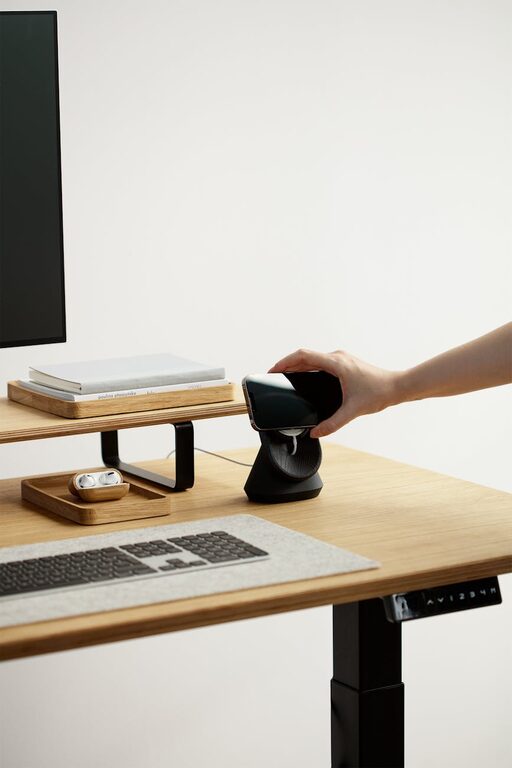
Creating an efficient and comfortable desk setup is essential for boosting productivity and maintaining focus throughout your workday. Whether you work from home or in an office, the way you organize your workspace can significantly impact how well you concentrate and feel during long hours at your desk.
In this post, we’ll explore practical tips to design a desk setup that promotes both focus and comfort. From ergonomic considerations to organization hacks, these tips are easy to apply and adaptable to any workspace.
Why Your Desk Setup Matters
Your desk setup isn’t just about aesthetics—it plays a key role in your mental and physical well-being. Poor posture, clutter, and bad lighting can cause distractions, fatigue, and even physical pain. In contrast, a thoughtfully arranged workspace helps reduce distractions, improve posture, and keep you motivated.
Ergonomic Essentials for Comfort
1. Choose the Right Chair
Invest in a supportive chair that encourages good posture. Look for these features:
– Adjustable height to keep your feet flat on the floor
– Lumbar support to maintain the natural curve of your spine
– Comfortable cushioning without being too soft
– Armrests to relieve shoulder tension
Taking breaks to stand or stretch also helps reduce strain from sitting too long.
2. Desk Height and Monitor Position
Your desk should be at a height that allows your elbows to rest at about a 90-degree angle when typing. For most people, a standard desk height of 28-30 inches works well.
Position your monitor so that:
– The top of the screen is at or slightly below eye level
– The screen is about 20-30 inches away (about arm’s length)
– The display is angled to reduce glare
Proper monitor placement avoids neck and eye strain, helping you stay comfortable during long work sessions.
3. Keyboard and Mouse Setup
Keep your keyboard and mouse close enough to prevent reaching or stretching. Use a keyboard tray if possible, and consider ergonomic keyboards and mice designed to reduce wrist strain. A wrist rest can provide additional support for your hands.
Optimizing Lighting to Reduce Eye Strain
Natural light is ideal, so position your desk near a window if possible. However, avoid glare on your screen which can cause headaches. Use adjustable blinds or curtains for control.
Supplement with soft, adjustable task lighting like a desk lamp to brighten your workspace without harsh shadows. Consider bulbs with daylight settings to mimic natural light, which can improve alertness.
Keep Your Desk Organized and Clutter-Free
A cluttered desk can distract your mind and make it harder to find essentials. Try these organization tips:
– Use desk organizers or trays to hold pens, notebooks, and small accessories
– Store seldom-used items out of sight to reduce visual clutter
– Keep only what you need daily on your desk
– Employ cable clips or sleeves to manage cords neatly
A clean workspace makes it easier to stay focused and feel calm.
Personalize Your Workspace Without Overdoing It
Adding a few personal touches can make your desk more inviting and increase your motivation. Some ideas:
– A small plant to add a touch of nature and improve air quality
– Photos or artwork that inspire you
– A comfortable wrist pad or mousepad with a fun design
– A water bottle to stay hydrated
However, avoid overcrowding your desk with too many items that may distract you.
Incorporate Movement Into Your Routine
Even with a great desk setup, sitting for long periods can impact your health. Remind yourself to:
– Stand or stretch every 30-60 minutes
– Consider a sit-stand desk or desk converter to alternate positions
– Take short walks or do light exercises during breaks
Movement helps maintain energy levels and reduces physical discomfort.
Use Technology to Your Advantage
Consider using apps or tools that minimize distractions and encourage productivity. Popular options include:
– Focus timers (like Pomodoro apps) to break work into manageable intervals
– Noise-cancelling headphones or white noise apps to block background distractions
– Task management software to keep your goals organized
Pairing a well-designed physical desk setup with helpful digital tools creates an ideal environment for focus.
Final Thoughts
A desk setup tailored for comfort and focus doesn’t have to be complicated or expensive. Pay attention to ergonomics, lighting, organization, and personal touches to build a workspace that supports your best work. Small adjustments can make a big difference in your daily productivity and well-being.
By regularly reviewing and tweaking your desk setup, you ensure that it continues to meet your needs as they evolve. Start with these tips today and watch your focus and comfort improve one step at a time.